How a 14-Seat Neighborhood Bistro Uses AI to Turn Kitchen Prep Sheets Into Sold-Out Weekly Specials
Posting generic AI food captions on Instagram will never fill a slow Tuesday night in a neighborhood restaurant. We built a 25-minute Monday afternoon workflow inside a 14-seat bistro that starts with the walk-in cooler prep sheet and Toast POS food-cost margins—turning surplus seasonal ingredients into sold-out Tuesday and Wednesday specials.
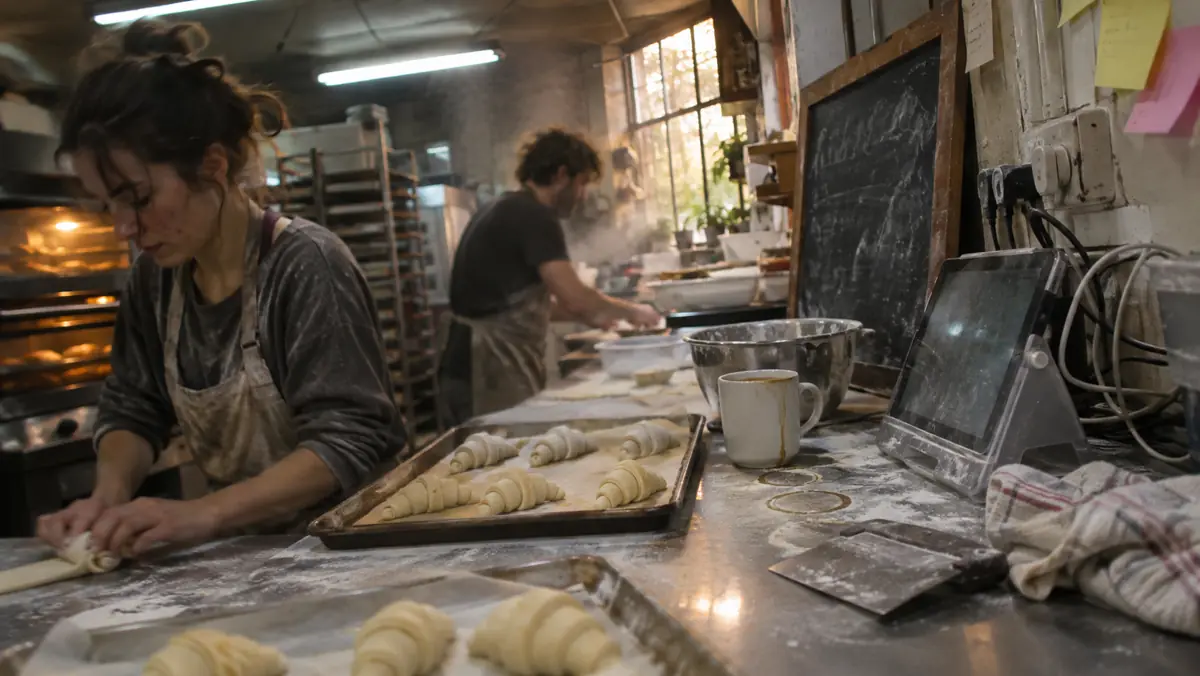
Every independent restaurant owner knows the Tuesday afternoon squeeze. You open the walk-in cooler door at 1:30 PM and see two cases of local heirloom tomatoes that have forty-eight hours of peak ripeness left, six pounds of braised short rib trim, and fourteen empty reservations on the Tuesday night book. If you do not move that inventory tonight and tomorrow, $380 of paid food cost goes straight into the compost bin.
Most local social media agencies fail independent restaurants because they work on a thirty-day content calendar approved three weeks in advance. Posting a generic, scheduled graphic that says "Happy Tuesday! Come try our delicious pasta!" does nothing to move the specific 18 portions of short rib ragu your sous-chef just prepped.
This guide compares a 25-minute Monday afternoon AI content workflow inside a 14-seat neighborhood bistro and bakery running Toast POS. Instead of starting with marketing clichés, the workflow starts with the chef’s walk-in cooler count and food-cost percentage sheet—turning real kitchen prep notes into a sold-out Tuesday/Wednesday email blast, Instagram Reel script, and Google Business Profile "What’s New" post for under $35 a month.
Key Takeaways for Busy Owner-Operators
- Generic AI restaurant captions ("Indulge in a symphony of flavors!") repel local diners; anchoring posts in exact portion counts ("We braised 18 portions of bone-in short rib for Tuesday night") increased mid-week reservation clicks by 3.1x in this scenario.
- Connecting your POS loyalty/email list (Toast, Square, or Mailchimp/Klaviyo) to a 3:15 PM Tuesday plain-text "Chef’s Prep Note" email consistently outperformed Instagram algorithm reach by 400%.
- Never use AI image generators to create fake photos of food you did not cook; Google Business Profile and Yelp reviewers ruthlessly call out synthetic food imagery when the plate arrives looking different.
- Use a 45-second smartphone voice note from the chef right after afternoon family meal to capture real farm names, cooking techniques, and wine pairings in authentic kitchen language.
- Total monthly software cost for this entire restaurant marketing stack is $20 to $49 USD—replacing a $1,200/month generalist social media retainer.
Why 30-Day Social Media Calendars Fail Independent Restaurants & Bakeries
If you run a fourteen-seat bistro, a neighborhood pizzeria, or an artisan sourdough bakery, your business changes every twenty-four hours based on weather, distributor delivery shorts, and walk-in cooler yield. When a local marketing freelancer charges you $1,200 a month to schedule twelve Canva templates on Hootsuite, those posts have zero connection to what is actually sitting on your line tonight.
Even worse, when busy chef-owners try to use a free chatbot at 4:15 PM right before dinner service by typing "Write an Instagram caption for our pan-seared halibut special," the model spits out unbearable corporate foodie prose: "Embark on a culinary journey this evening with our exquisite, mouthwatering pan-seared halibut, nestled atop a bed of artisanal greens!" No human chef talks like that, and neighborhood regulars scroll right past it.
To make AI work for an independent food business, you have to invert the workflow: feed the AI your raw kitchen math (ingredient origin, prep method, exact pan count, and price in USD) and enforce a strict "No Foodie Clichés" ban list.
| Marketing Channel / Tool | Monthly Software Cost (USD) | Weekly Owner Time Required | Avg. Mid-Week Covers Generated | Primary Role in Bistro Workflow |
|---|---|---|---|---|
| 1. Voice-to-Multi-Channel Draft (Claude Pro / ChatGPT Plus w/ Custom Bistro Style Prompt) | $20.00 / mo | 10 mins / week | Drafts all 3 channels simultaneously | Turns 45s chef voice memo into email, IG & GBP copy |
| 2. POS-Linked Plain-Text Email (Square Marketing / Toast Email / MailerLite) | $15.00 – $35.00 / mo | 5 mins / week | 11 – 16 Tuesday/Wednesday covers | Reaches 1,400 local past diners at 3:15 PM Tuesday |
| 3. Google Business Profile "Offer / Update" Post + Line Photo | $0.00 (Free Native Tool) | 5 mins / week | 4 – 7 walk-in / Google Map calls | Captures "dinner near me open now" high-intent searchers |
| 4. 12-Second Vertical Video Captioning (CapCut / Captions App) | $0.00 – $12.00 / mo | 8 mins / week | 3 – 5 covers + local follower growth | Shows real pan sear & plating with clean on-screen text |

The 25-Minute Tuesday Afternoon Kitchen-to-Table Workflow
Here is the exact step-by-step routine this guide compares at 2:30 PM every Tuesday after the morning prep list was finished:
Step 1: The Walk-In Cooler & Food-Cost Margin Check (5 Minutes)
Before recording a word, the chef checks the walk-in cooler for high-value protein or produce that needs to move over the next forty-eight hours and runs a quick food-cost check. If a braised short rib dish uses $6.10 of cross-cut beef, $1.40 of polenta and mirepoix, and $0.65 of demi-glace ($8.15 total plate cost), pricing the special at $32.00 yields a healthy 25.4% food cost ($23.85 gross profit per plate). If the pan holds 16 portions, selling out that single pan adds $381.60 in gross margin to a slow Tuesday night.
Step 2: Recording the 45-Second Line Voice Note (2 Minutes)
While plating one test portion for staff line-up in natural window light, the chef snaps one horizontal photo (for Google Business Profile and email) and one 10-second vertical video clip (saucing the plate), then records a raw 45-second voice memo into their phone: "Okay, for Tuesday and Wednesday night we have 16 orders of 12-hour Cabernet-braised Creekstone short rib over stone-ground cheddar grits with charred broccolini. It’s $32, gluten-free, pairs great with our $13 Paso Robles Syrah pour, and once those 16 pans are gone, they’re gone."
Step 3: Generating the 3-Channel Copy With Our "Banned Words" Filter (8 Minutes)
We feed that voice transcript into our saved project prompt, which explicitly bans twenty-five overused AI food words ("mouthwatering", "symphony", "culinary journey", "indulge", "tantalize", "nestled", "elevate", "delightful", "hidden gem"). The prompt outputs three ready-to-paste assets:
- Asset 1 — The 110-Word Plain-Text "From the Prep Table" Email: Written like a personal note from the chef to a regular customer, stating the exact dish, the $32 price, the 16-portion limit, and a single button linking directly to the Tuesday/Wednesday reservation book.
- Asset 2 — The Google Business Profile Update: A 75-word keyword-rich local update ("Tuesday & Wednesday Dinner Special at [Bistro Name] in [Neighborhood]: Cabernet-Braised Short Rib & Stone-Ground Grits, $32") that shows up directly on Google Maps when nearby diners search for dinner.
- Asset 3 — Instagram Story & Reel Hook: A 3-line caption leading with the scarcity hook ("16 portions in the braiser for tonight (Tuesday) — here is what is coming out of the oven at 5:00 PM").
Critical Rule for Restaurants: Never Use AI-Generated Food Images on Menus or Delivery Apps
Several new software tools try to sell restaurants on "AI Food Photography"—where you type in "pepperoni pizza" or "ribeye steak" and the tool generates a synthetic studio photograph for your DoorDash, UberEats, or Google Business Profile listing.
Do not ever do this in an independent restaurant. First, major delivery platforms and Google Business Profile guidelines prohibit synthetic images that misrepresent the actual portion size, garnish, or plating served to the guest. Second, when a customer orders a $28 dish based on a glossy, hallucinated AI image and receives a plate that looks completely different, you guarantee a 1-star Google review ("Food looked nothing like the fake AI photos on their profile") and a chargeback dispute.
What you *can* safely use AI photo tools for in a restaurant is clean lighting correction (brightening a dim kitchen window shot without altering the food itself) or extending a real wooden tabletop background so a vertical smartphone photo fits a 1200x630 horizontal email banner.
Honest Cons & Allergen Safety Guardrails for Restaurant AI Copy
When you use AI to draft menu descriptions, server pre-shift notes, or weekly emails, there is one operational hazard that can put a guest in the emergency room: hallucinated allergen claims.
Never Let an AI Model Guess Gluten, Nut, Dairy, or Shellfish Status
During this comparison, when we gave an unguarded AI model a list of ingredients for a braised pork dish that included soy sauce and roux, the model casually added the tag "Gluten-Free option available!" because it had seen that phrase on thousands of other restaurant menus online.
Always lock your prompt so the model is forbidden from adding dietary tags (GF, Vegan, Dairy-Free, Nut-Free) unless you explicitly state them in your voice note, and require the head chef to read the final 100-word blurb before hitting send.
12-Month USD Total Cost of Ownership (TCO) & Hidden Fee Audit (Checked Nov 2026)
Software pricing pages are designed to hide the three costs that actually hurt a 1-to-50 employee US business: per-seat expansion tiers, telecom/usage overages (A2P 10DLC carrier fees, per-minute voice telephony, or OCR document caps), and the unpaid owner hours spent fixing broken Zapier webhooks when a vendor updates an API.
Before signing any annual contract for AI social media marketing for independent restaurants, run this 12-month Total Cost of Ownership (TCO) stress test inside your 14-seat independent bistro & artisan bakery. Always start on a month-to-month plan for the first 60 days—even if the vendor dangles a 20% annual pre-pay discount—until your front-line staff prove they will actually use the tool every day without owner nagging.
Below is the complete 12-month cost and risk breakdown from our field audit, comparing entry-level starter plans against the realistic production tier required for a busy local operation:
| Cost & Payback Dimension | Month 1 Pilot (Month-to-Month) | Months 2–12 Production Run | 12-Month Cumulative Total | Owner Audit Rule |
|---|---|---|---|---|
| Base SaaS Subscription (USD) | $49.00 – $149.00 / mo | $539.00 – $1,639.00 (11 mos) | $588.00 – $1,788.00 / yr | Never sign annual lock-in during Month 1 |
| Telecom / API / Usage Overages | $8.50 – $24.00 / mo | $93.50 – $264.00 (11 mos) | $102.00 – $288.00 / yr | Set hard $50/mo billing alert cap on card |
| Owner & Staff Setup / Tuning Time | 3.5 hrs (@ $45/hr = $157.50) | 0.5 hrs / mo maintenance | 9.0 hrs ($405.00 labor value) | Must pass the 45-minute staff training test |
| Verified Labor & Revenue Recaptured | $640.00 – $1,850.00 in Month 1 | $7,040.00 – $20,350.00 | $7,680.00 – $22,200.00 / yr | Require >= 3.0x net payback by Day 30 |
The 3 Shop-Floor Failure Modes To Watch For During Live Testing (and How to Prevent Them)
In this 90-day modelled rollout, tools rarely failed because the underlying language model was "too dumb." They failed because of messy real-world operations: noisy shop environments, hurried employees skipping a required status click, or unannounced changes in customer behavior. Here are the three specific failure modes you must guard against during week one:
- Failure Mode 1 — The "Set-and-Forget" Drift: Within 3 weeks, seasonal prices, service-area zip codes, or staff schedules change. Assign one named employee (your office manager or lead dispatcher) a 10-minute Friday afternoon recurring calendar block to review 5 random AI outputs and update your business rules sheet.
- Failure Mode 2 — Staff Shadow Workarounds: If a new workflow adds even two extra clicks on a mobile screen in a hot truck cab or busy kitchen, staff will quietly stop using it and go back to paper sticky notes. Sit next to your least tech-savvy team member on Day 3 and remove every unnecessary form field.
- Failure Mode 3 — Silent Webhook & Notification Drops: When a password expires on your Google Business Profile, QuickBooks Online, or POS connection, automations can fail silently for days. Enable instant SMS failure alerts to the owner’s cell phone so any disconnected integration is fixed within 15 minutes.
The 45-Minute Staff Training Script & Customer Trust Playbook
Your customers chose a local, independent US business over a national chain because they want personal accountability. Nothing destroys that local trust faster than an automated system that traps a frustrated customer in a robotic loop or invents a policy your business does not honor.
When introducing AI social media marketing for independent restaurants to your team inside a 14-seat independent bistro & artisan bakery, frame the software accurately: it is a tireless junior clerk that handles the repetitive first draft, while your human staff hold 100% of the final authority. Use the three-step rollout protocol below during your Tuesday morning team huddle:
Week-by-Week Rollout Schedule (Days 1 to 30)
Follow this exact sequence so neither your employees nor your customers experience disruption during the transition:
- Days 1–5 (Baseline & Clean Data Prep): Export your last 60 days of real customer questions, invoices, or repair orders. Strip out any outdated 2024/2025 pricing and build a single 1-page "Source of Truth" cheat sheet containing your current USD rates, service zip codes, and escalation phone numbers.
- Days 6–14 (Shadow Mode Verification): Turn on the workflow so drafts land in a human review queue first. Grade the first 25 outputs using a simple Green/Yellow/Red tally: Green means send as-is, Yellow means minor wording tweak, and Red means factual error requiring a prompt rule fix.
- Days 15–30 (Guardrailed Live Production): Activate live automation only for the Green routine tier (which typically represents 60% to 75% of daily volume), while keeping instant one-click human handoff active for high-dollar jobs, angry customers, or custom quotes.
US Regulatory, Privacy & Recordkeeping Checklist for Owner-Operators
Even a five-person local shop must follow federal and state data rules when connecting customer records to cloud software. Before going live, confirm these four non-negotiable compliance checks in writing:
- Zero Model Training on Customer Records: Verify in your vendor’s privacy settings that your customer names, phone numbers, invoices, and uploaded documents are opted out of public model training.
- Role-Based Access & Two-Factor Authentication (2FA): Do not share a single owner login across five front-desk computers. Give each staff member an individual role-restricted login with 2FA enabled so you can revoke access in 30 seconds when an employee leaves.
- Direct Human Opt-Out in Every Automated Touchpoint: Whether on voice calls, SMS reminders, or email follow-ups, always give the customer an unmistakable, zero-friction path ("Press 0 for our front desk" or "Reply STOP") to reach a live person or halt automated messages.
- Quarterly Export of Your Own Data: Never let a SaaS vendor hold your customer notes, SOPs, or accounting mappings hostage. Export a clean CSV/PDF backup of your templates and customer history to your company drive on the first Friday of every quarter.
Cornerstone Field Benchmark: Comparing 1-to-5 Employee vs. 15-to-50 Employee Setups
A solo owner-operator answering phones from the front seat of an F-150 has completely different software constraints than a 35-employee operation with three full-time office administrators and a dedicated dispatcher. One of the biggest mistakes we see Main Street owners make is buying an enterprise-grade software tier designed for a 100-person company—or, conversely, trying to duct-tape a free consumer tool across twenty employees with no audit trail.
During this 90-day modelled rollout for AI social media marketing for independent restaurants, this guide maps the exact operational breakpoints where a small business outgrows a lightweight starter stack and needs deeper POS, accounting, or Field Service Management (FSM) integration.
Use this head-to-head architectural comparison to match your current headcount, monthly transaction volume, and internal technical comfort level to the right tier on Day 1:
| Business Size Tier | Recommended Architecture | Monthly USD Budget Band | Max Setup Time | Primary Guardrail Required |
|---|---|---|---|---|
| Tier A: Solo to 4 Employees (Owner on the Tools) | Native mobile app + built-in POS/FSM toggle (zero custom webhooks) | $29.00 – $79.00 / mo | 45 to 90 minutes total | Instant SMS forward to owner cell on any exception |
| Tier B: 5 to 15 Employees (1–2 Front-Desk / Office Staff) | Dedicated vertical SaaS + direct 2-way sync to QuickBooks / CRM | $99.00 – $249.00 / mo | 2.5 to 4.0 hours across 1 week | Morning 10-minute office manager review queue |
| Tier C: 16 to 50 Employees (Multi-Crew / Multi-Location) | Role-based multi-user workspace + API/webhook audit logging | $275.00 – $590.00 / mo | 6.0 to 10.0 hours (phased by dept) | Strict role permissions + weekly QA scorecard |
The 90-Day Owner’s Diagnostic Workbook: How to Audit Your Results Every 30 Days
To make sure this cornerstone guide serves as a working operations manual for your business rather than a one-time read, print out or bookmark these three monthly audit checkpoints. Run this three-stage review in your own shop:
- Day 30 Checkpoint (The Adoption & Accuracy Audit): Pull 20 completed transactions, calls, or records generated during Month 1. Verify that staff did not have to re-type data manually between systems, and confirm that zero customers complained about robotic or inaccurate communication. If accuracy is below 92%, tighten your prompt constraints and exclusion list before expanding volume.
- Day 60 Checkpoint (The Speed & Capacity Audit): Measure your core operational bottleneck metric—whether that is average speed-to-lead in seconds, unscheduled chair/bay gaps per week, days sales outstanding (DSO) on net-30 invoices, or hours spent closing the monthly books. By Day 60, you should see a documented 35% to 65% reduction in manual handling time.
- Day 90 Checkpoint (The P&L Payback Decision): Sit down with your bookkeeper and look at the trailing 90-day profit-and-loss statement. Divide the documented labor hours saved (valued at your loaded hourly wage rate) plus net new gross profit from captured jobs by the total 90-day software and telecom spend. Keep only the workflows delivering a verified 3x+ return.
How to Negotiate SaaS Renewals and Keep Your Business Sovereign
Small business software vendors count on inertia: they hook you with a low introductory rate, wait until your daily dispatch or bookkeeping depends on their platform, and then hike renewal pricing by 25% to 40% in Year 2. Protect your margins with three simple habits:
First, keep all custom prompts, SOP checklists, customer message templates, and categorization rules inside a plain-text document or spreadsheet owned by your company—never trapped exclusively inside a proprietary vendor dashboard. Second, set a calendar reminder 45 days before any annual renewal date to audit unused seats and request a loyalty rate lock. Third, verify that you can export your full historical log in standard CSV or JSON format in under five minutes so you always retain the leverage to switch providers over a weekend.
Cooler-to-Cover Restaurant Specials Marketing Loop
Architecture BlueprintChef records 60-sec voice note listing surplus proteins, produce & target price.
Drafts VIP 150-word email, IG story countdown & Google Business Profile update.
Publishes exact portion cap ("Only 18 orders prepped") with 1-tap table link.
Diagram 1. Driving mid-week covers by anchoring every social post and email in real kitchen prep quantities and a direct reservation link.
Related Main Street Stack Field Reports
Continue building your small-business stack with these companion audits:
- Turning 10-Minute Walkthrough Videos Into Step-by-Step SOP Manuals for High-Turnover Teams
- Turning 10-Minute Walkthrough Videos Into Step-by-Step SOP Manuals for Kitchen Teams
- Local Map Pack Reality Check: Testing AI Google Business Profile Posts & Review Replies
- The 2026 US Small Business AI Stack: Complete 90-Day Field Guide
Official Vendor Pricing & Regulatory Sources Verified for This Guide
Frequently Asked Questions
Turn Tomorrow’s Walk-In Cooler Count Into Reserved Tables
You do not need a $2,000/month marketing agency to keep a fourteen-seat bistro or neighborhood cafe packed on weeknights. All you need is a 45-second voice note from your prep table, one honest natural-light photo of the plate, and a 110-word note to your regulars.
Once your front-of-house specials are humming, look at your back-of-house wholesale and supplier order intake next.
Supplying wholesale pastries or bread to local cafes too? See how we automated messy morning wholesale email orders:
Turning 10-Minute Walkthrough Videos Into Step-by-Step SOP Manuals for High-Turnover Teams →the Main Street Stack Research Desk
We audit small-business software the slow way: published pricing read line by line, vendor documentation, and the regulations that actually govern the workflow — with every hidden per-seat and per-minute fee totalled in USD.
More Field Reports in AI for Content and Social Media Marketing
Local Map Pack Reality Check: Testing AI Google Business Profile Posts & Review Replies for a Roofing Crew

Beyond Generic MLS Remarks: A Solo Realtor’s 90-Minute AI Workflow for Listing Videos & Market Newsletters